
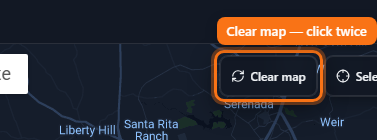
Clear the map
One control wipes the current workspace — click twice to confirm.
Steps
- Find Clear map on the map toolbar (top-right of the map).
- Click once — the button arms and turns into Confirm / Click again to clear.
- Click again within a few seconds to wipe pins, rings, and polygon draft state.
- Saved history is kept. Use this when you want a fresh workspace without deleting saves.